

FitR Co-op Team Mode Guide
2022-11-0313:20

In this article, we will guide you through the new exciting updates of FitR — Co-op Team Mode!
Let’s begin to kickstart our Co-op Mode journey!
How to start Co-Operative Team Mode in FitR?
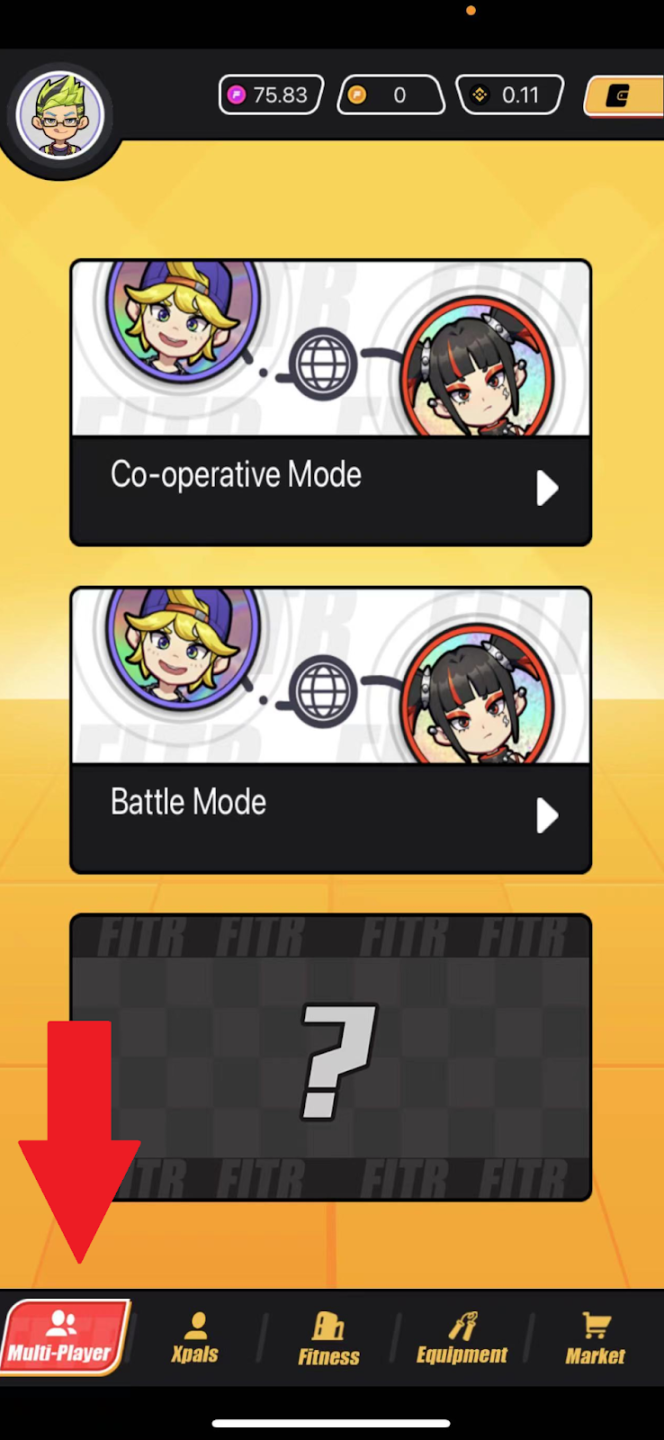
1. Click on the “Multi-Player” button on the main menu at the bottom.
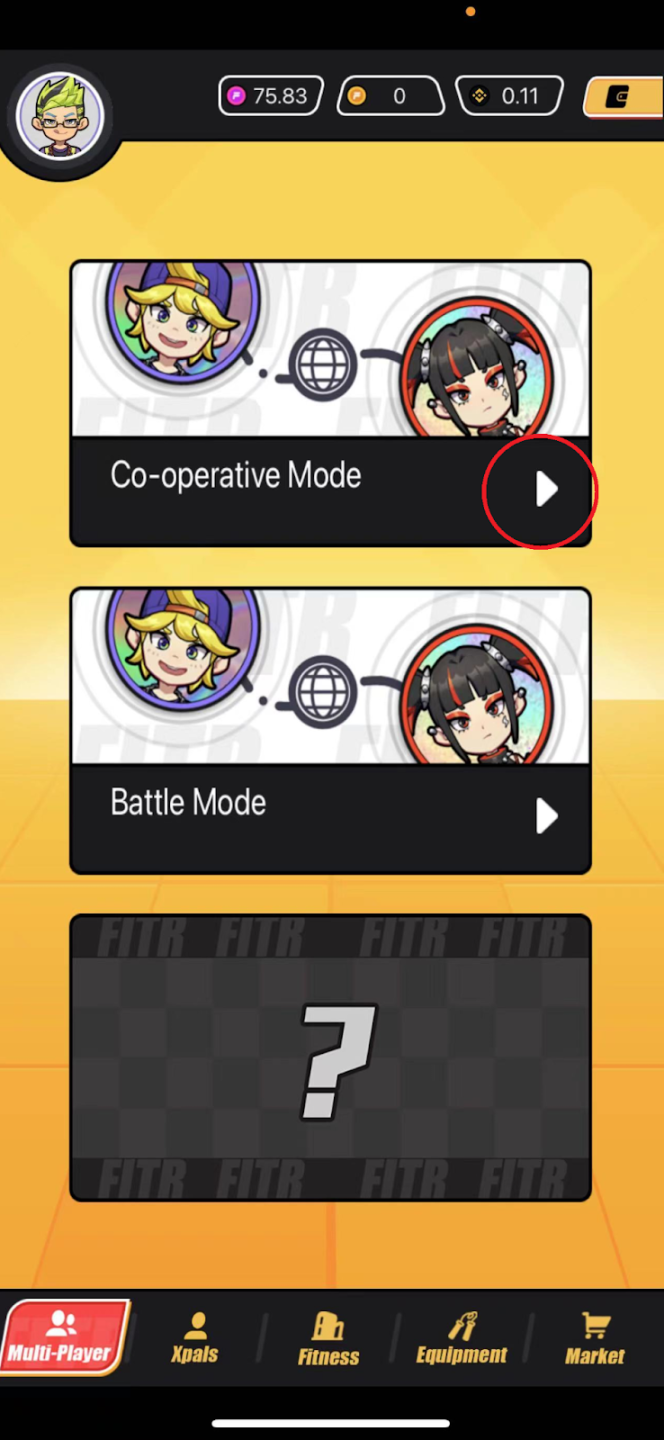
2. Then, press on the Co-operative Play icon to enter the Co-Operative mode.
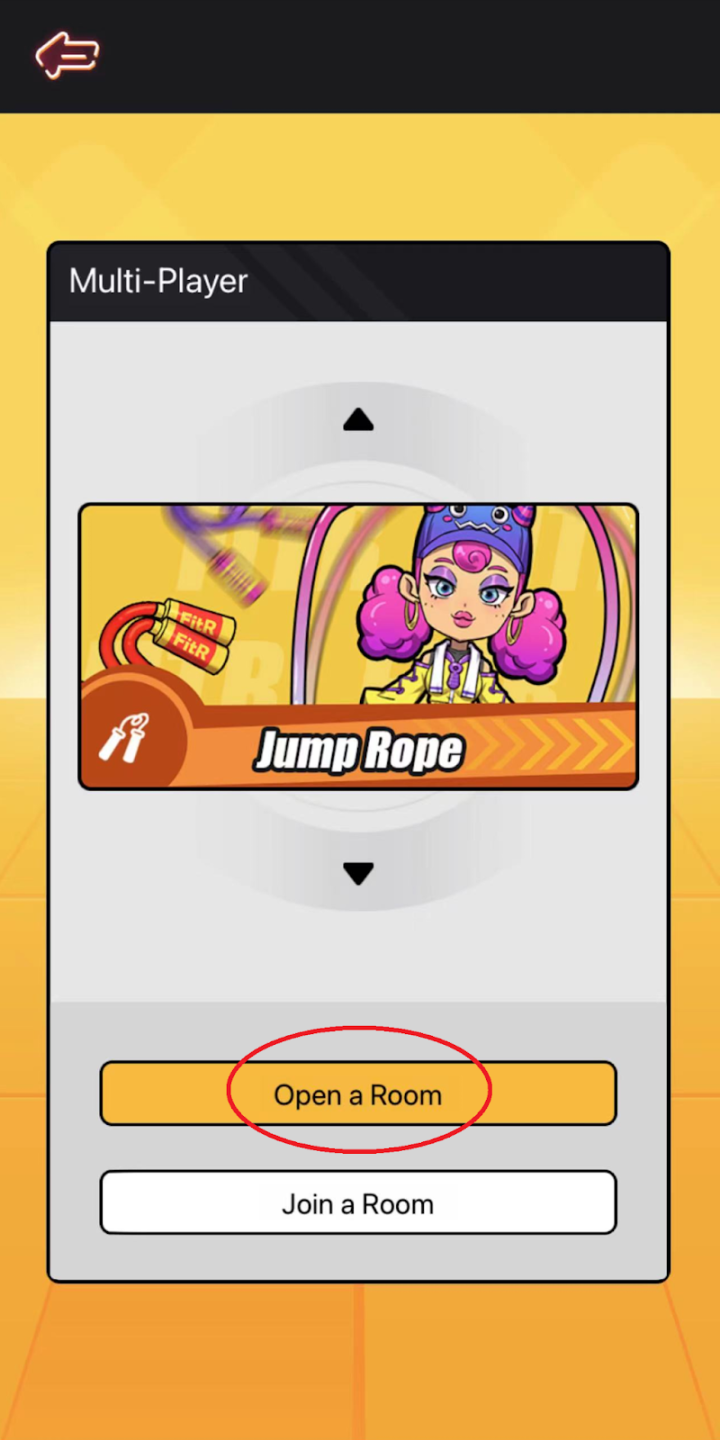
3. Press on “Open a Room” to create a custom room for you and your friend.
4. Then, share your Room ID with your friend (text, call, message), you can use the copy icon to make a copy of the room to send. Your friend will follow Step 1 to Step 3 but press on “Join a Room” in Step 3 to join your game room.
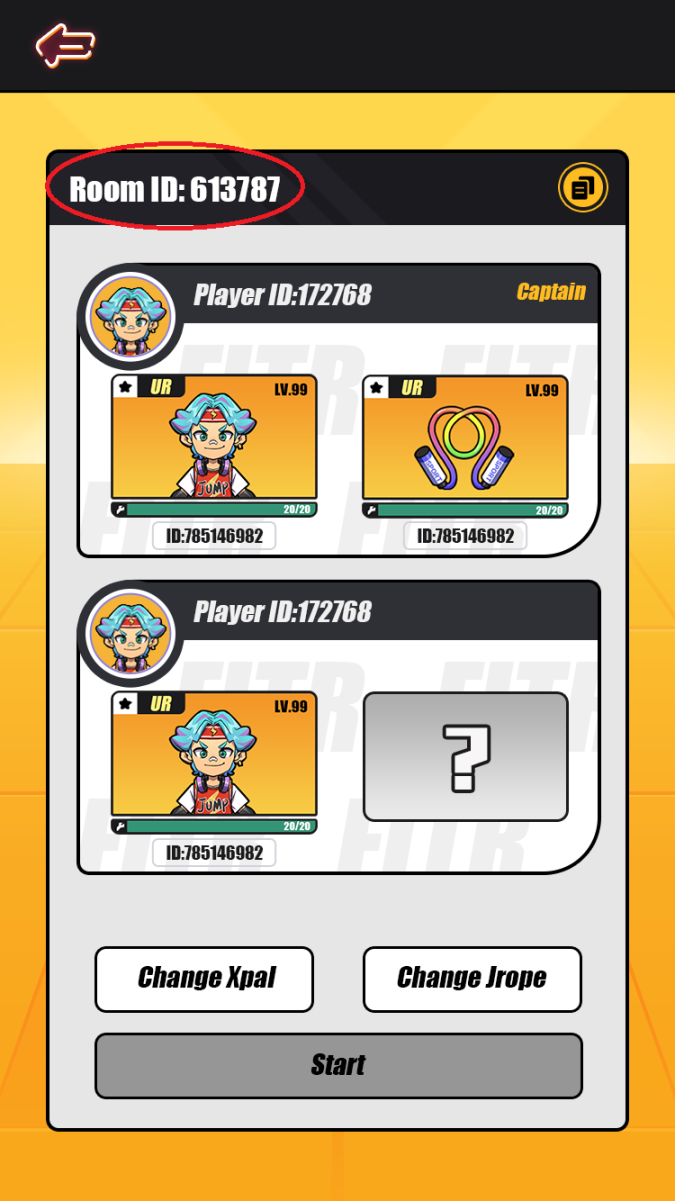
5. Once your friend joins your exercise room, feel free to change your XPal or Equipment NFT using the “Change XPal” or “Change JRope” buttons
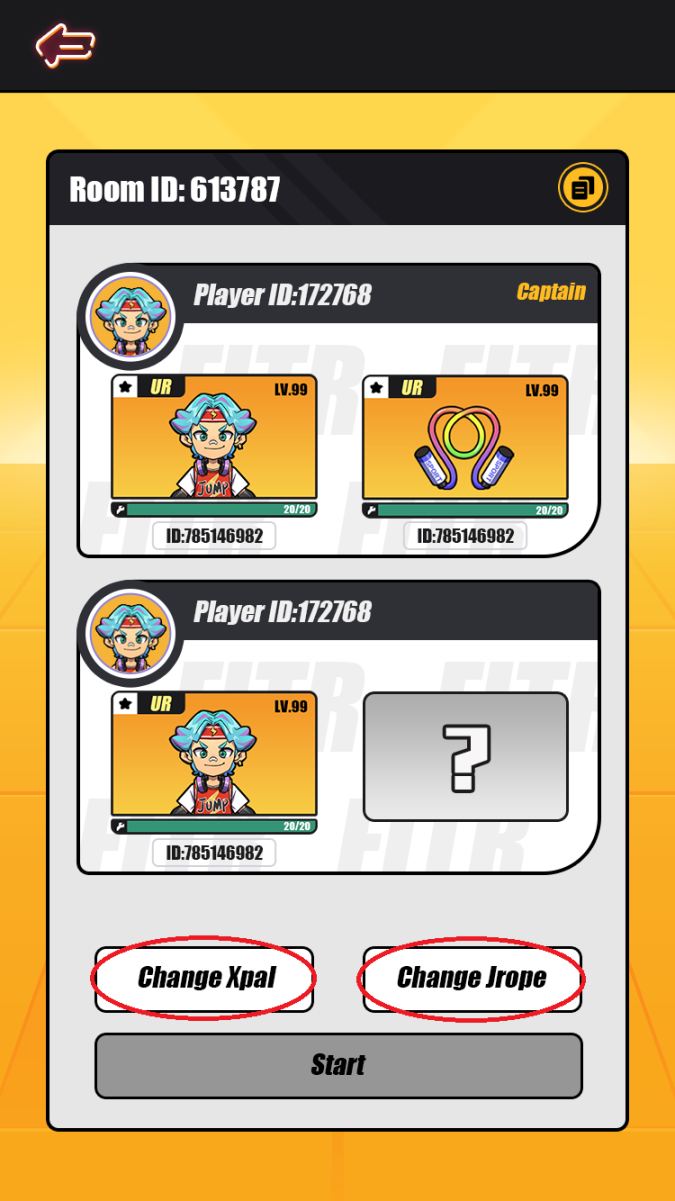
6. Once both of you are ready, click “Start” to begin the exercise!
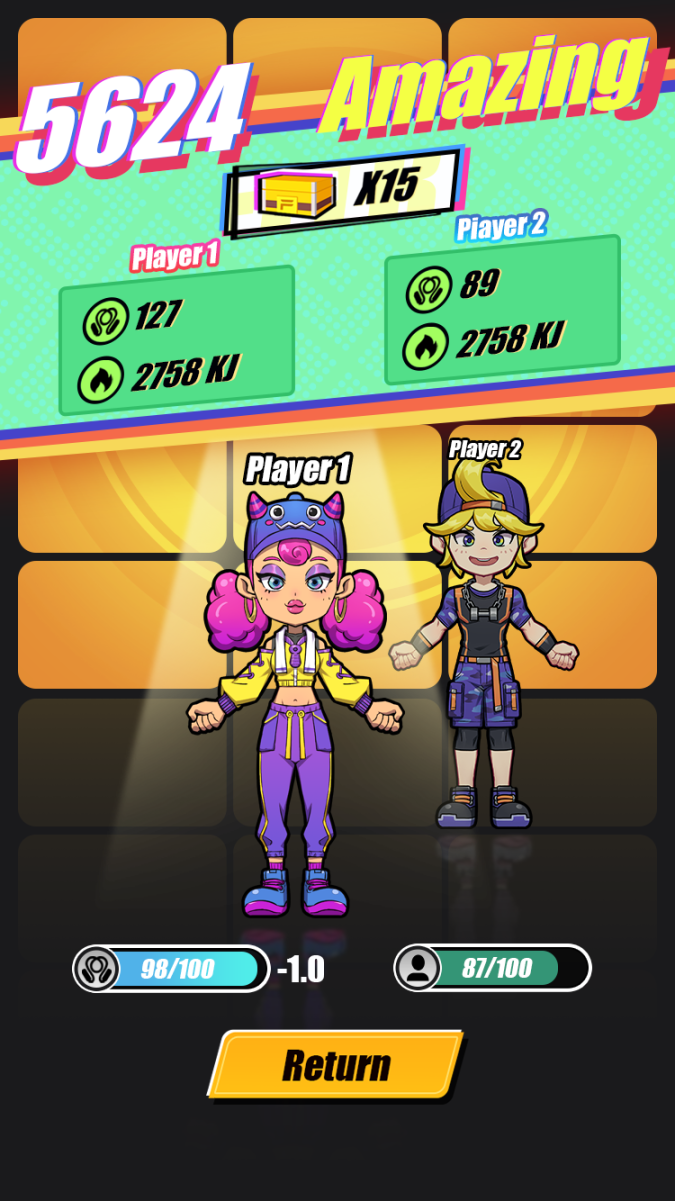
7. At the end of the exercise session, the statistics for both of your performances will be displayed
Now you understand how the Co-op mode works in FitR. Use your invitation code in the reward system page to invite your friends to register in FitR now!
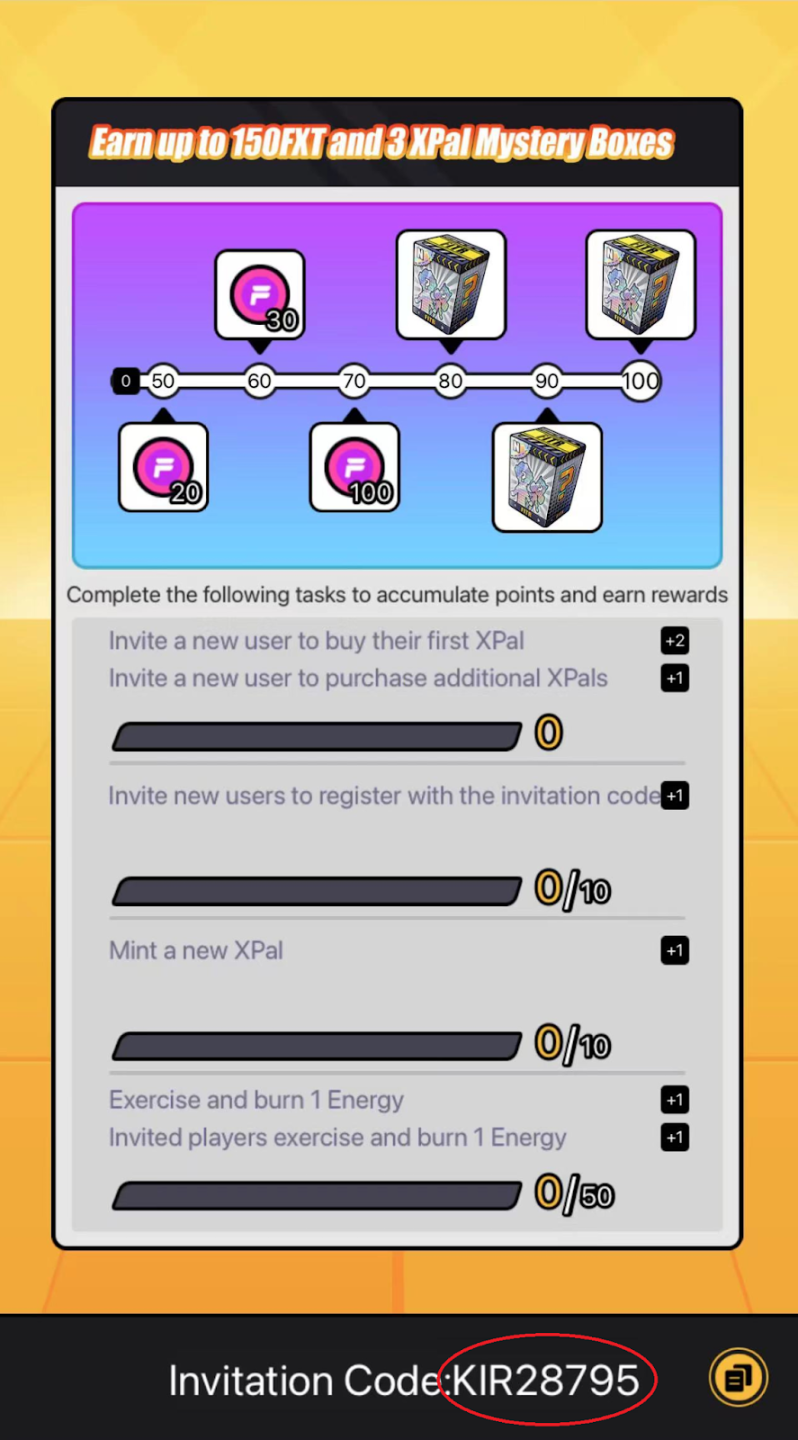
*Everyone has their own invitation code, please check your reward system page to obtain your unique invitation code.
【免责声明】市场有风险,投资需谨慎。本文不构成投资建议,用户应考虑本文中的任何意见、观点或结论是否符合其特定状况。据此投资,责任自负。